
![[比較] Workfront 與 Asana](https://assets.asana.biz/transform/7cb174ef-a16b-4c8b-b40c-328c733f72cc/Worfront-Hero?io=transform:fill,width:2560&format=webp)
從新創公司到《財星》百大企業,超過 170,000 個團隊* 信賴 Asana





![[標誌] Goodrx - AI](https://assets.asana.biz/m/464cae48ddeaf94a/original/WEB-AI26-buyer-goodrx-logo.svg)
![[標誌] Clear Channel Outdoor](https://assets.asana.biz/transform/9120e59d-a371-4090-96b7-7c05b4a46876/WEB-AI26-builder-clear-channel-outdoor?io=transform:fill,width:2560&format=webp)


功能
為團隊打造的人工智慧
Asana AI 隊友是由 Work Graph 提供支援的 AI 代理,因此他們從第一天起就瞭解您團隊的目標、專案和相依性,且每個 AI 動作都是可查看且可稽核的。 深入瞭解。
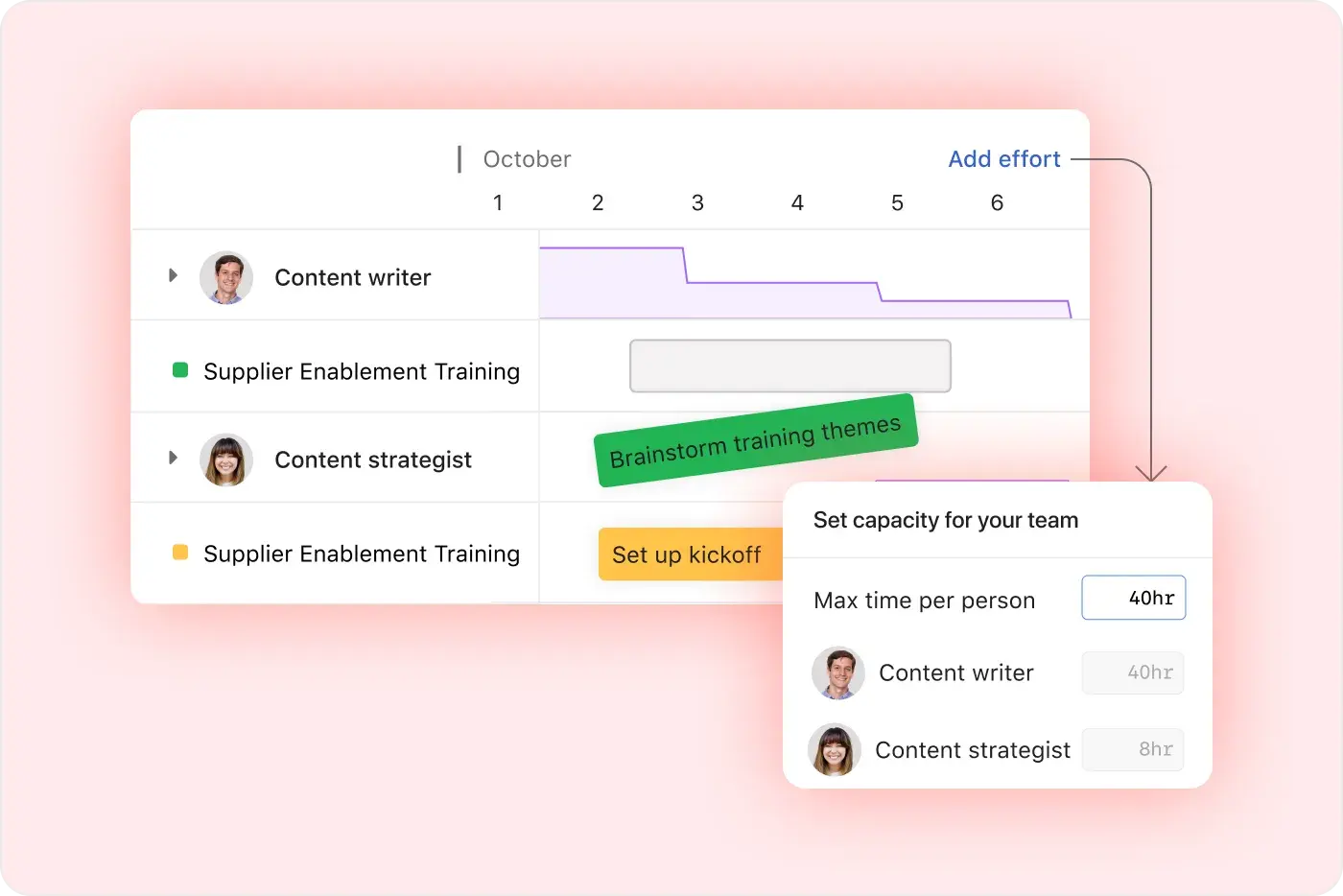
進階資源管理控制項
Asana 以易用性為重點,提供視覺化的工作負荷檢視、即時工作量規劃和靈活的任務管理,讓團隊能夠輕鬆平衡工作,並即時追蹤投入量。 深入瞭解
超過 400 項整合,實現工作連結
Asana 提供 400 多項整合,可與 Slack、Microsoft Teams、Google Drive 及 Salesforce 等熱門工具整合,使團隊能夠連結跨專案與部門的工作流程,並有效地擴展協作。 深入瞭解
個人生產力套件
使用「我的任務」、「首頁」和「收件匣」,專注於實現影響力並組織工作,從而提高工作效率。
有條理的上線引導和指引,加速採用速度
Asana 將直觀的介面與全面的引導流程、應用程式內指引、範本、核對清單以及 Asana 學院培訓相結合,使團隊能夠在單一平台上從任務追蹤擴展到企業專案集管理。 深入瞭解
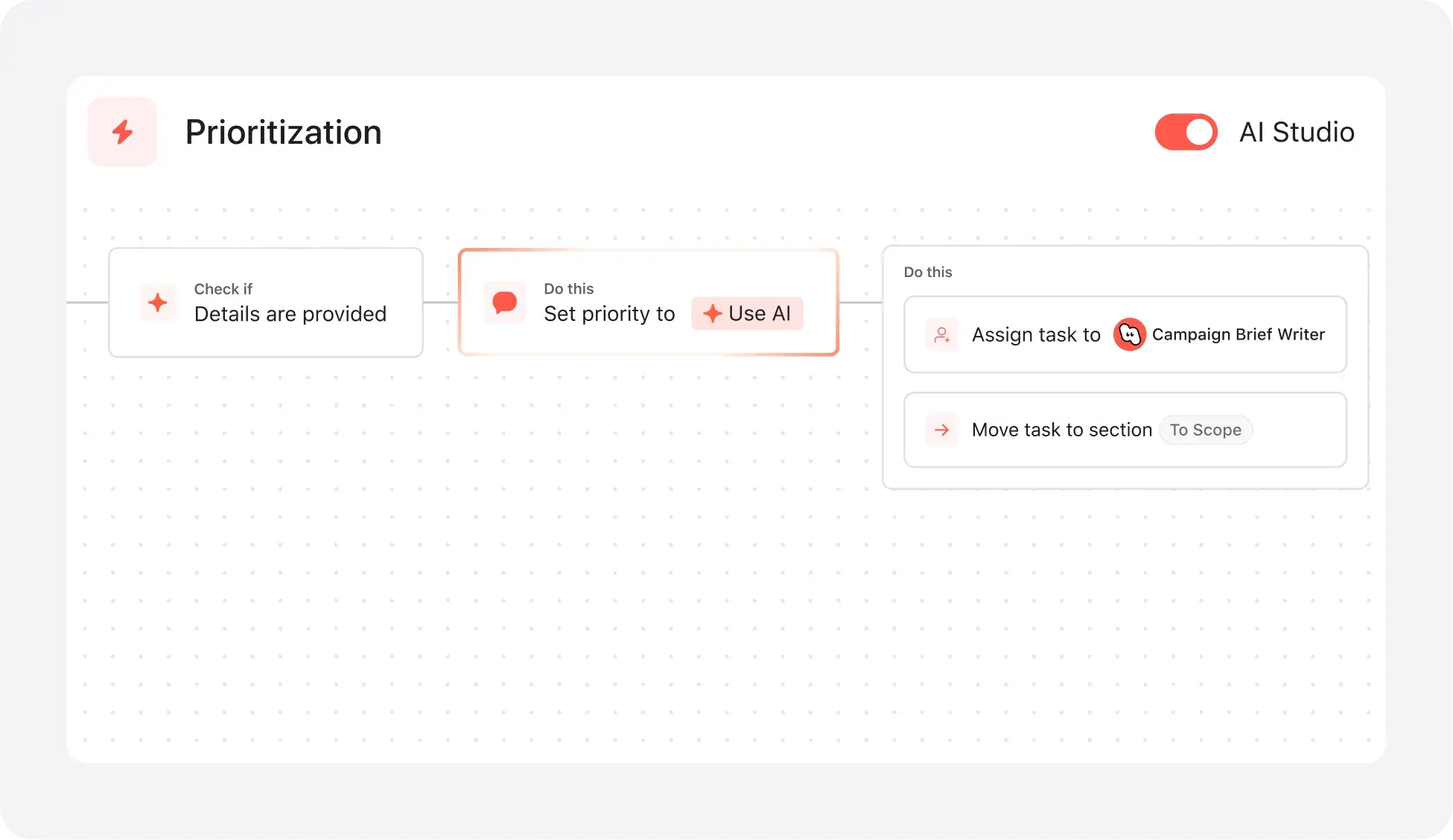
可擴展的自動化和 AI 工作流程
Asana 透過自動化和 AI 功能簡化您的流程,幫助團隊節省時間並減少手動工作。規則可以觸發跨多個專案的動作,從而使複雜的工作流程自動運行,並隨著您的團隊進行擴展。深入瞭解
我們的客戶為什麼偏好 Asana


「我曾使用過其他 PM 平台 (例如 Workfront),這些平台有更多花俏的功能,但最終卻變成了阻礙,佔用了實際工作的時間。 正因如此,我很欣賞 Asana,至少就我所在組織的設定方式而言,它易於使用且快速。」
「在嘗試過 Smartsheet 和 Monday 等其他平台後,我們發現 Asana 的設計最乾淨、最易於使用,且無需大量訓練。Asana AI Studio 徹底改變了工作流程和協調的自動化。」
- 財務長 Brandon H.
Asana 透過彈性、可擴展的工作流程為團隊提供動力
探索 Asana 如何協助各種規模的團隊在一處位置自訂專案、連結工具並報告進度。



![[比較 - Monday] 功能標籤頁 (整合和可擴展性)](https://assets.asana.biz/transform/2090e635-5343-4f52-a1ee-4e4a04a8f67e/compare-monday-fy26-features-integrations?io=transform:fill,width:2560&format=webp)


您整個團隊都能真正使用的 AI
Asana AI 隊友從一開始就能瞭解您的目標、專案和相依性——monday.com 的單一看板模式無法提供如此深入的資訊。
Asana AI 隊友會建立整個團隊共用的記憶庫,而 monday.com 的智慧助理在每個工作階段之間會重新設定,因此您的團隊每次都要從頭開始。
每一個 AI 動作都會顯示在您的活動紀錄中,就像隊友一樣。monday.com 將代理程式的動作歸因於人,從而造成當責方面的盲點。
即時儀表板,實現全組織的明晰度
Asana 根據即時專案資料建立報告儀表板,無需手動更新或匯出試算表。
有了 Asana,團隊可以即時監控專案狀態、發現風險並深入瞭解阻礙,確保跨多個專案和部門保持一致。
Trello 僅提供基本的看板式報告功能,而 Asana 則提供跨專案彙總資訊和即時的專案集深入解析,可用於大規模追蹤專案進度。
Connect 400+ integrations for scalable workflows
Asana 可與 400 多個應用程式連結,包括 Slack、Google Workspace、Salesforce 和 Tableau,讓團隊能夠將交接工作自動化,並將工作集中管理於同一處。
團隊將 Asana 連結至行銷、分析和 IT 工具,從而減少手動更新的次數,並確保工作內容保持同步。
Trello 僅提供基本的看板式報告功能,而 Asana 則提供跨專案彙總資訊和即時的專案集深入解析,可用於大規模追蹤專案進度。
超過 400 項整合,適用於可擴充的工作流程
Asana 可與 400 多個應用程式連結,包括 Slack、Google Workspace、Salesforce 和 Tableau,因此團隊可以將交接自動化,並將工作集中在一處。
團隊將 Asana 連結至行銷、分析和 IT 工具,從而減少手動更新並保持工作同步。
monday.com 支援 200 多項整合,而 Asana 支援 400 多項整合。
縮短設定時間,加快團隊採用速度
Asana 提供可自訂的到職流程和預先設定的專案範本,讓使用者能夠快速開始,並依循針對其團隊需求量身打造的清晰步驟。
引導資源 (包括 Asana 學院、逐步教學、應用程式內指引和線上訓練) 可協助各種規模的團隊放心採用新的工作流程,從而最大限度地減少對長期訓練或外部顧問的需求。
Trello 提供的到職引導有限,且結構化資源極少,而 Asana 則提供引導式、使用者友善的到職體驗,可縮短培訓時間並加快採用速度。







常見問題
Is Asana hard to learn, switching from Adobe Workfront?
Asana is designed for ease of use, with an intuitive interface and onboarding resources likeAsana Academy to help new users get started quickly, even when switching from more complex platforms like Adobe Workfront. Teams can follow step-by-step guides, use ready-made templates, and access in-app support to minimize downtime and adopt project management workflows efficiently.
Adobe Workfront has a steeper learning curve and often requires extensive setup and training before teams can become productive. Asana allows teams to start managing projects, tracking tasks, and collaborating right away, making adoption faster and less disruptive for organizations.
How does Asana support migration from Adobe Workfront for IT teams?
Asana supports migration from Adobe Workfront with guidance from professional services and trusted channel partners, helping IT teams transition efficiently while minimizing disruption. Teams can leverage step-by-step migration resources and adoption support to accelerate onboarding and get up to speed quickly.
Adobe Workfront implementations are often more complex and require longer setup and configuration, which can delay adoption. Asana’s approach simplifies migration and speeds adoption, enabling organizations to achieve results faster and transition with less risk and cost.
How quickly can my team see value after switching to Asana?
Most organizations see faster results with Asana thanks to intuitive workflows and dedicated onboarding support, leading to a quick return on investment. Customer data shows teams achieve significant gains in project delivery speed and on-time completion after switching.
Adobe Workfront typically requires a longer rollout period, which can slow the realization of benefits for new users. Asana’s platform is designed for rapid adoption, helping teams achieve value quickly and streamline project execution without extended setup or training.
What onboarding resources does Asana provide?
Asana provides a comprehensive onboarding experience, including self-paced courses through Asana Academy, ready-to-use onboarding templates, and access to professional services for tailored support. These resources are designed to help teams of all sizes quickly adopt project management best practices and accelerate time to value, even for those with limited training capacity.
Adobe Workfront often requires more setup time and dedicated admin support, which can slow down onboarding and increase complexity for new users. Asana’s structured onboarding resources and intuitive platform make it easier for teams to get started quickly, reduce reliance on technical support, and scale adoption efficiently across the organization.
What integrations does Asana offer for IT and operations?
Asana offers access to over 400 native integrations, including direct connections with Slack, Google Drive, Microsoft Office, Salesforce, Jira, and many more, all available through the Asana App Directory. These integrations help IT and operations teams automate workflows, centralize work, and connect existing tools without extra middleware or hidden costs.
Adobe Workfront has limited or deprecated native integrations with key platforms like Jira, Salesforce, and G Suite, often requiring paid add-ons to maintain similar functionality. Asana’s built-in connectivity ensures long-term integration stability, helping teams unify workflows, streamline collaboration, and scale operations without relying on additional software or risking disruption.
How does Asana help prevent information silos?
Asana prevents information silos through multi-homing, a unique capability that allows a single task to exist in multiple projects across teams at the same time. This ensures updates—such as changes to deadlines, priorities, or status—are reflected everywhere instantly, without duplicating work. By connecting tasks across projects, Asana creates a shared source of truth that improves visibility, strengthens team collaboration, and keeps cross-functional work aligned in real time.
Adobe Workfront often structures work within more rigid, department-specific systems, which can limit cross-team visibility and coordination. Asana’s flexible, shared data model makes it easier for teams to collaborate across functions, stay aligned on updates, and reduce silos without added complexity.
Can Asana automate routine tasks?
Asana enables teams to automate routine tasks using rule-based automation, customizable templates, workflow bundles, and AI Studio, reducing manual work and supporting scalable processes through automation features. Teams can standardize repetitive actions, trigger task assignments, generate updates, and manage approvals without complex setup, freeing time for higher-value work.
Adobe Workfront’s automation capabilities can introduce unnecessary complexity for teams that need simple, effective solutions. Asana’s approach makes it easier to adopt automation quickly, apply rules consistently across projects, and maintain productivity without added complexity.
How does Asana's AI compare to Adobe Workfront's?
Asana offers AI-powered features like Smart Projects, Smart Goals, Smart Summaries, and AI Studio, which help teams automate task creation, summarize project updates, and identify risks without technical setup. These tools streamline project management, reduce manual work, and provide actionable insights directly within workflows.
Adobe Workfront provides AI capabilities focused on predictive analytics and resource forecasting, but Asana’s AI is purpose-built for project management tasks, delivering real-time workflow automation and smarter task management. Teams benefit from embedded AI that accelerates planning, reporting, and cross-project coordination, making Asana a more practical choice for organizations looking to maximize efficiency and insight.
How flexible are Asana’s workflows?
Asana gives teams the flexibility to design, adapt, and scale workflows using advanced customization options likemultiple project views, workflow bundles, and custom fields, making it easy to support both simple and complex processes as needs evolve. Teams can tailor project management structures, automate routine steps, and visualize work in a way that best fits their goals.
Adobe Workfront can become unnecessarily complex and resource-intensive for teams that need straightforward, adaptable workflows. Asana’s approach makes it easier for teams to adjust structures, manage diverse projects, and maintain clarity across departments without added complexity.
What project views are available in Asana?
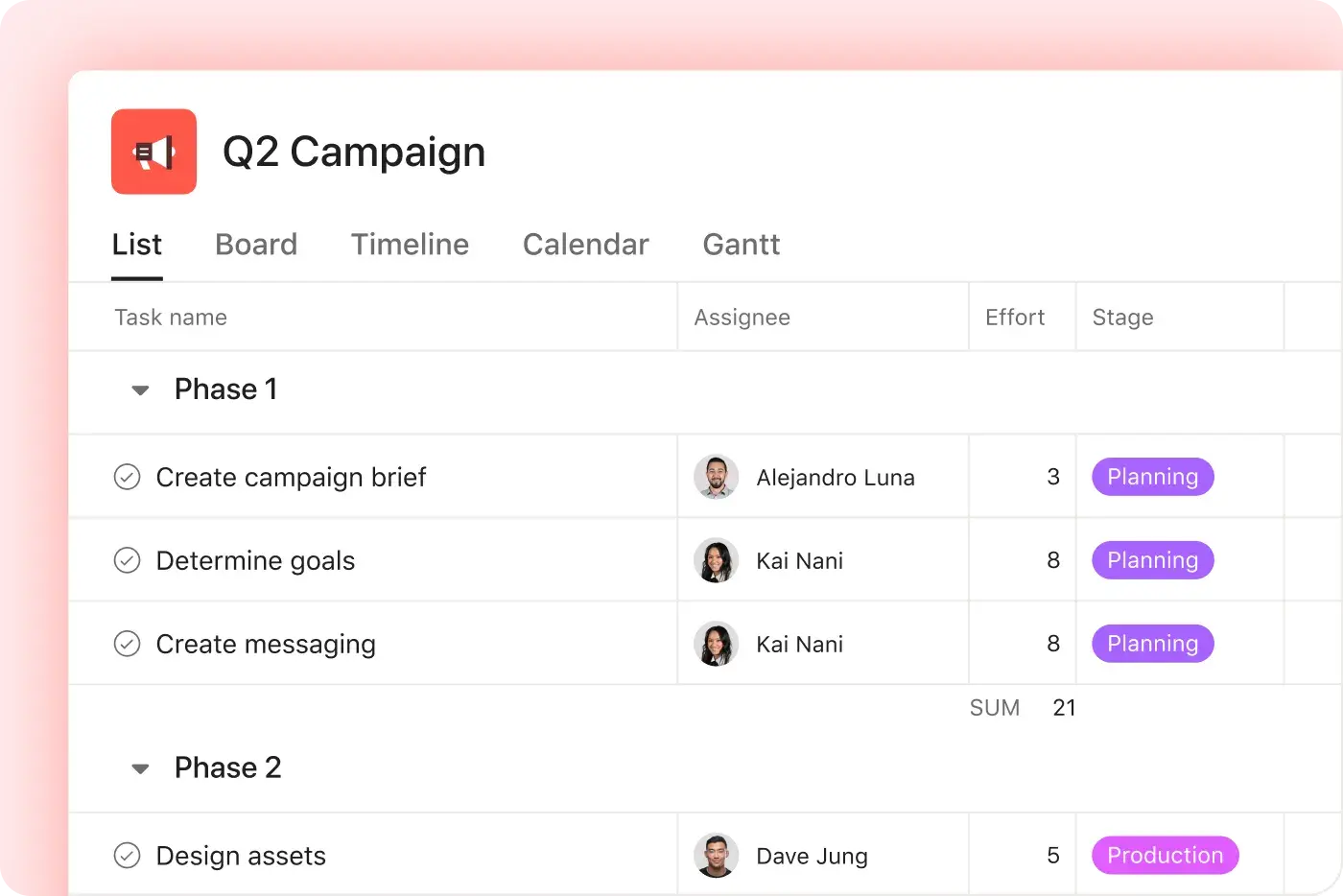
Asana offers four primary project views: list, board, timeline, and calendar, allowing teams to manage projects in the format that best fits their workflow. Each view is designed to support different work styles—list for detailed task tracking, board for visual workflows, timeline for scheduling, and calendar for date-based planning—enabling flexible workflows for any level of project complexity.
Adobe Workfront provides project views as well, but its interface and configuration can make it more difficult for teams to quickly adapt workflows or switch between views. Asana’s intuitive design and flexible project views make it easier for teams to manage work in the way that suits them best, improving visibility, adoption, and efficiency across projects.
What admin controls does Asana offer?
Asana offers a centralized admin console for managing users, teams, and organization-wide permissions, supporting compliance and security needs from a single location through features like admin controls and security permissions. These controls allow for granular access management, data sharing oversight, and integration with compliance tools, making it straightforward to align Asana with your organization’s governance requirements.
Adobe Workfront focuses on governance for large, global enterprises, which can introduce additional complexity and administrative overhead. Asana balances robust admin controls with a more intuitive and flexible approach, making it easier for organizations to manage access, enforce policies, and scale governance without slowing down day-to-day operations.
How does Asana support compliance and data security for regulated industries?
Asana supports compliance for regulated industries by offering enterprise-grade audit logging, SOC 2, GDPR, and CCPA compliance, and centralized admin controls for monitoring and reporting security events through its Audit Log API. These features help IT and compliance leaders track access, manage permissions, and integrate with SIEM tools, supporting regulatory requirements for mid-sized teams and scaling organizations.
Adobe Workfront provides governance capabilities for enterprise environments, but these often come with more complex setup and administration. Asana delivers a strong compliance and security foundation in a more streamlined and accessible way, making it easier for organizations to monitor activity, enforce policies, and maintain regulatory alignment without added operational overhead.
How does Asana’s pricing compare to Adobe Workfront?
Asana offers transparent, tiered pricing with a free plan and no hidden fees, allowing decision makers to evaluate costs and plan budgets confidently. Plan options and pricing details are available on the Asana pricing page, helping organizations of all sizes forecast ROI and scale work management without surprises.
Adobe Workfront requires direct sales contact for pricing details and is known for a complex, high-end cost structure, which can slow budgeting and evaluation. With publicly available pricing and clear tiers, Asana enables teams to assess value, plan ahead, and adopt the platform at a comfortable pace.
Can teams use Asana for free before committing?
Asana offers a free plan for individuals and small teams, allowing organizations to explore core project management features, collaborate, and evaluate the platform before upgrading. Teams can review all plan options and pricing details on the Asana pricing page.
Adobe Workfront does not provide a free plan or trial, and its pricing is not publicly disclosed, which can make it harder for teams to assess value or suitability before purchase. Asana’s free plan and transparent pricing make it easier for teams to try the platform risk-free and decide if it meets their needs before committing to a paid plan.
Does Asana charge extra for integrations or automations?
Asana does not charge extra for integrations or automations—these capabilities are included as part of your core platform experience, with unlimited usage for all teams. You can connect to hundreds of apps, automate workflows, and scale processes without additional fees or usage-based costs, supporting predictable budgeting as your organization grows. Learn more on the Asana pricing page.
Adobe Workfront often requires paid add-ons like Workfront Fusion to enable integrations, which can add complexity and extra cost. Asana’s built-in capabilities let teams connect tools and automate work immediately, reducing barriers to adoption and simplifying workflow management.
Can Asana scale as my organization grows?
Asana is designed to scale with your organization, offering flexible subscription plans that let you add users and expand capabilities as your needs evolve. This approach supports teams of all sizes, from small businesses to large enterprises, so organizations can focus on growth rather than administrative hurdles.
Adobe Workfront is typically geared toward enterprise-level teams and often requires a higher investment and more setup time, making it less accessible for growing organizations. Asana provides a more adaptable option, enabling teams to scale work management efficiently, add users, and extend features without disrupting ongoing operations.
與 85% 的《財星》百大企業為伍,共同使用 Asana**
**準確性僅至 2025 年 12 月,包括免費和付費使用者。